Showing posts with label Other. Show all posts
Showing posts with label Other. Show all posts
7 best CMS/script for building Social networking website

- Build a Social networking website in a short time
- It can be use for personal or commercial purpose
- Customizable, so you can modify any part of site as you want
- Some of these CMS are open source (completely free and you can modify/upgrade the source code) and some of paid.
7 best CMS/script for building Social networking website
Dolphin is the world's most advanced community CMS. It is Open source, independent, downloadable, scalable, customizable, full-featured, free software for building social networks, dating sites and web-communities. Loaded with video chat, recorder, video player, forums, groups, events, video messenger, mailbox, desktop app, video sharing, photo sharing, iPhone app and much more. Premium upgrade available.
Jcow is flexible Social Networking software written in PHP. It can help you to: Build a social network for your interests and passions, Build a member community for your existing website, Build a social networking site like Facebook, Twitter. Paid version got more customizable option.
Buddypress is a Wordpress CMS's plugin. After installing Wordpress you will be able to install this plugin and start a minimal social networking site on your Wordpress. Build a social network for your company, school, sports team, or niche community. BuddyPress lets users sign-up and start creating profiles, posting messages, making connections, creating and interacting in groups, and much more. BuddyPress boasts an ever growing array of new features developed by an awesome plugin development community. There are more than 330 BuddyPress plugins available, and the list is growing every day, multi language supports, updates regularly.
Oxwall is unbelievably flexible and easy to use PHP/MySQL, Community CMS/platform. Oxwall is used for a wide range of projects starting from family sites and custom social networks to collaboration tools and enterprise community solutions.
Beatz is an online social networking community script that allows you to start your own favorite artist band website. Beatz is an online community script for sharing, discussing and learning about new artists and your favorites.
Elgg empowers individuals, groups and institutions to create their own fully-featured social environment. Elgg is an open source social engine which powers all kinds of social environments - from education and business to martial arts and rugby. If you are looking for a professional social intranet or want to run a site for your organization.
Etano can be used to start up a dating site, a social networking site, a classifieds site or any other type of site involving groups of people, companies and products.
CMS are the great choice to make a site specially social networking sites, what got more sensitive functions. So choose what CMS you want to use, go to their site download the script, upload and install that, configure and start your social networking site without tension. Don’t forget to mention what you’ll be use.
CMS are the great choice to make a site specially social networking sites, what got more sensitive functions. So choose what CMS you want to use, go to their site download the script, upload and install that, configure and start your social networking site without tension. Don’t forget to mention what you’ll be use.
60 best Free Web Directory for Building Backlinks

There are a lot of web directory I have found around the web, they offer's free and paid web directory service. Going through most of them here I sharing 60 best free web directory for building backlinks. Here some directories works instantly without any condition, some of 'em requires link exchange and some will review your site first (they will track your site's popularity and content quality, than will add you site to their directory). Read on the -
60 best Free Web Directory for Building Backlinks
1. Dmoz
2. So Much
3. Jayde
4. Scrub The Web
5. Yahoo directory
6. 1 Abc
7. Little directory
8. 1 Webs Directory
9. Amray
10. Directory Fire
11. Directory World
12. T Section
13. Direct My Link
14. Cipinet
15. 9 Sites
16. Gain Web
17. My Directory Live
18. Free Website Directory
19. Elite Sites Directory
20. Pro Link Directory
21. Nexus Directory
22. Business Seek
23. PIseries
24. Directory Volt
25. R Directory
26. Suggest Url
27. Search Sight
28. Synergy Directory
29. Wwwi
30. Directory bin
31. A list directory
32. Link nom
33. 10 Directory
34. Best Free Websites
35. Suggest Site
36. Link Pedia
37. Pedsters Planet
38. Inteligent D
39. Link Dir
40. Submission4u
41. Leading Link Directory
42. The Net Directory
43. Nipao
44. The Web Directory
45. Url Moz
46. Wikidweb
47. XY Link Directory
48. Answer Spots
49. SEO Free Links
50. Dmoz in
51. Sighber Cafe
52. Tech4on
53. A Million Sites
54. Digg Directory
55. Royal Link Up
56. Best million links
57. Vie Search
58. Dir4UK
59. PRweblink
60. PR3 Plus
Hoping this list will help you a lot. And if it does don't forget to mention. Happy link building!
12 best free Article Rewriter/Spinner you can use

Also for holding site's readers eyes and mind on your site content spinning article can be use for present a article more charming with rich vocabulary and thesaurus. And batch producing a lot of article in short time from already someone's published article, article rewriter can be a helpful easy way for you or your client.
There is lot of free article rewriter/spinner online web tool and offline desktop application you can find for spinning your articles for free. After testing most of these tools, I made a final list. Now from the best article rewriter list you choose one of them and get started without hesitation. Read on :-
12 best free Article Rewriter/Spinner you can use
1. Small Seo tool
2. Ant Spinner
Writing effective content for your site can now be simply done through the use of this article spinner. An article spinner tool can make rewrite articles easy and fast all for free. You can simply make content full of match keyword phrases that could also raise traffic in your website.
3. Caligonia
There are many articles on content spinners on the market; some of these articles are useless while others actually attempt to inform you of how powerful article rewriters are, but Caligonia is different It's a human controlled article spinner what prevents output articles to having controlled use of thesaurus and synonyms, what makes a article more human readable and useful.
4. Paraphrasing Tool
Use Paraphrasing Tool to paraphrase or rewrite full length essays and articles or to find new ways to express simple phrases, sentences or single words. Whether your goal is to remix textual content for a website, term paper, business document, email or tweet, Paraphrasing Tool will do the trick.
5. Ez rewriter
Free online article rewriter. Paste or type your text and rewrite words with synonyms.
6. Free article spinner
Free and paid article rewriter. Be a member of site and get your rewriter screen.
7. Article rewriter tool
Free article, sentence and paragraph rephrasing tool online
8. Plagiarisma
Plagiarisma is a free article spinner, online synonymizer, eassy rewriter, plagiarism and grammar checker
9. Article changer
It says world's best free article spinner tool what produce mostly human readable output.
10. Spin bot
Article spinning, text rewriting and creative content creation tool. Using it you'll quickly get human readership and search engine exposure
11. Content professor
Content professor is a free and paid article spinner, A smart, easy and guaranteed way to rewrite articles online
12. Word flood
It's a desktop app and free for use. Unique, powerful and super fast desktop app designed to help creative article marketers and professional content marketer’s
So these article rewrites are the best rewriting tools to work on for free. Use them and change your conventional article to shiny penny. Any tool you recommend or have a feedback about my list leave with comment. Happy article spinning :)
7 best Online Gradient Color code generators

7 best Online CSS3 Gradient color code generator
ColorzillaVery powerful Photoshop like CSS gradient editor and generator with flexible preview panel. Provides features like Cross browser CSS output-Sass output, Horizontal-vertical-diagonal and radial gradients, Hex-rgb-rgba-hsl-hsla color formats, Complex multi stop gradients, Opacity support with multiple opacity stops, More than 135 gradient presets, Adjust gradient by hue-saturation-lightness plus lots more functions.
Colorzilla is pretty complicated gradient color editor, but it is very enrich than other, unlimited possibility that anyone can ever imagine of.
CSS3 Factory
This gradient color generator is very easy to use and output is also neat. This tool has 2 type color format output CSS3 prefix webkit, Gradient Direction (X – Start, Y – Start, X – End, Y – End), multiple gradients and color adding presents. Easy to use and time saver
CSS Matic
The ultimate CSS tools for web designers. This tool offers 25 gradient presets, reverse colors and multi stop gradients, Opacity support with multiple opacity stops, Hue-Saturation-Lightness adjustment, Cross browser supports output, CSS and SASS outputs import from CSS plus more functions.
Angry tools
Easy online CSS Gradient Generator. 45 gradient presets, 5 types of output, various orientations
including linear or radial, rotation option, Locations, reverse colors, Opacity supports, Cross browser capability output.
Microsoft CSS Gradient Background Maker
Uses color picker and live demo to create CSS background image gradients. Output CSS3 markup has Cross browser supports output of (prefixes: -ms-, -moz-, -o-, -webkit-), 3 type gradient style: Linear-Circular-Elliptical, Start and end locations, Offset, Direction (to bottom right, to bottom, to bottom left, to right, to left, to top right, to top, to top left)
CSS3 Gradient Generator
Simple CSS3 gradient generator which makes life easy. Start and end locations, rotation option, RGB output, Cross browser capability output.
Free HTML5 templates
Quick 2 Color CSS3 Gradient Generator. Beginning color and ending color, specify a third-middle color, Direction supports (Top to Bottom, Left to Right, Radial), supports output of (prefixes: -moz, -webkit-).
- And all these CSS3 tools listed here in this article (link) offer's simple and easy Gradient Color generator.
Gradients background gives your site a very stunning look. For website’s background necessary gradients background generally served by photoshoped image what makes you site loading speed bit of sloppy so use CSS Gradients editor and generator to produce your Gradient background save your times, get smarter and explore cooler outlook from the world of colors. What tool you use or will be use don’t forget to mention.
Know instantly why you can not access a website

These tools will help you a lot to make sure a website is really down for everyone not just you! these tool will tell you that the website you trying to access is it offline or not.
Down for every one or just for me?
Check a website If you think there something wrong with you and that site. Very lightweight and very useful instant website's downtime checker. Short Url is Isup.me
Is it down right now?
Instantly check a website is down or up. Also detailed information, check response time graph and user comment help. Short Url is iidrn.com
HTTP Status Code Checker Tool
Check status code of URLs with this HTTP status checker tool, It also does batch/bulk HTTP status check also it allows 100 Domains at a time.
Up Down
Just another one page instant website's downtime checker.
Doj
Another lightweight instant downtime checker.
Down for everyone or just me
Downtime checking, pinging tool to use.
Website inaccessibility just not happens for Blocked sites in several places or those sites just hacked or in maintenance mode, website down may also will happens for that websites servers downtime. So when a website appears to be inaccessible try to check downtime first with these tools and save time.
15 best free responsive jQuery image sliders

1. FlexSlider

An awesome, fully responsive jQuery slider toolkit.
- Simple, semantic markup
- Supported in all major browsers
- Horizontal/vertical slide and fade animations
- Multiple slider support, Callback API, and more
- Hardware accelerated touch swipe support
- Custom navigation options
- Compatible with the latest version of jQuery
Download
2. unslider

unslider is a responsive and cross-browser jQuery plugin for creating clean and flexible content sliders on your web site. unslider currently supports almost all the html elements like image, text, video, etc.
- Lightweight (~3kb minified) and easy to implement
- Responsive and cross-browser
- Keyboard and Dot navigation support
- Customizable transition animations
- Touch & Swipe support
- Prev/Next button support
Download
3. Ideal Image Slider

The aim behind the Ideal Image Slider is to create a slider which has just the right amount of features, with no bloat and be easy to extend so that more features can be added as “extensions”. Here are the ideals and core features:
- HTML5 (SEO optimised)
- CSS3 transitions (a few simple transitions like slide/fade)
- Left/Right navigation (including touch/swipe support)
- Responsive
- HiDPI (retina) support
- ARIA support
- Extremely simple to setup (no dependencies)
- Very extensible
- Uses progressive enhancement
Download
4. Slider Pro

Slider Pro is a professional jQuery plugin which allows you to display a group of mixed content in a responsive and touch compatible slider. Key Features:
- Fully responsive with custom JS breakpoint.
- Touch swipe, keyboard, and thumbnails navigation.
- Fullscreen and auto height support.
- CSS3 powered transitions.
- Infinite loop like a carousel.
- Image lazy load.
- Retina image support.
- Galley lightbox enabled.
- Automatic video handling.
- Supports mixed content, not only images.
Download
5. jSlider

jSlider is a simple, lightweight, full-featured jQuery plugin for creating animated content / images on your webpage / web applications. Features:
- Mobile-friendly. Support both mouse drag and touch swipe to switch between slides.
- Cross browser. Supports all major browsers and even IE 8/9/10.
- Options can be passed via data-attributes directly in the markup.
- Arrows and dots navigation.
- Custom animation types.
- Fully responsive for any screen size.
- 3 built-in slider modes (slide, fade & gallery) to fit your any needs.
- Supports infinite looping that makes the slider act like a carousel.
- Auto resize slider content to fit parent container.
Download
6. Slippry

Responsive slider plugin for jQuery. Intrinsic trick to enable responsive resizing without js!
- Slippry is a pretty customization slider, included some (slightly random) combinations of options and the function settings and CSS (if applicable) to recreate them.
- Designs/styles: Out-of-the-box, Pictures, Portfolio, News, Shop, Thumbnails, CSS vs jQuery.
Download
7. Hero Slider

It is a common approach to fill in the intro section of a website with a slideshow: you’re trying to show the users as much as you can above the fold, yet you want to deliver this information in an organized and clean way. Therefore we built for you a ready-to-use jQuery slider, with some built in options like video/image backgrounds and different text alignments. In an attempt to increase user engagement, we replaced the “navigation arrows” with buttons. The difference is: buttons have a title, a hint about what kind of content to expect. Arrows just tell users “you can switch slide”.
Demo
Download
8. jQuery lightSlider

jQuery lightSlider is a lightweight responsive Content slider. Features:
- Fully responsive – will adapt to any device.
- Supports touch devices and swiping.
- Gallery mode to create an image slideshow with thumbnails
- Small file size (6kb) (minified), fully themed, simple to implement.
- CSS transitions with jQuery fallback.
- Full callback API and public methods.
- Auto play and auto loop to create a content carousel.
- Keyboard, arrows and dots navigation.
- Chrome, Safari, Firefox, Opera, IE7+, IOS, Android, windows phone.
- Slide and Fade Effects.
- Multiple instances on one page.
Download
9. Zenith

Zenith is responsive slider jquery plugin that comes in 4 basic layouts and 7 transition animation available
- 4-th layout, or slider layout, has some variations of its own, producing 3 more pre-defined sub-layouts and unlimited possibilities of styling, editing and creating some of your own variations.
- You can edit some HTML, and add that markup by passing it’s elements classes or id’s to the options when initializing zenith.
- Zenith differs from other responsive slider jquery plugins in dozen ways.
- It’s unique layouts for showcasing highlights will enhance your product, or app presentation.
- You can style almost every part by passing your own custom CSS directly into options, without even touching the main style.
Download
10. SmoothSlides

A responsive jQuery slideshow with beautiful panning effects on each image.
Demo
Download
11. jcSlider

A responsive slider jQuery plugin with CSS animations.This plugin does not use jQuery animations. Only CSS3, because performance matters. No need to calculate distances, sizes or whatever, only add and remove classes to elements to animate them. It couldn’t be easier!
- Only 1 js file, 1Kb minified
- Responsive
- Multiple effects (more than 60!)
- Works with html, images… whatever you want to animate
Download
12. Responsive Layered Slider with CSS3 & jQuery
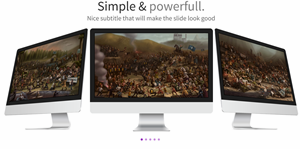
The entire slider works by using just a JavaScript document and you don't have to attach any CSS style sheets to use it.
- Each layer will have 18 possible effects which you can use to your liking.
- All animations are created by inserting CSS code into the page using JavaScript
Download
13. Zoom Slider

A simple content slider with depth-like zoom functionality for a predefined area in each slide. Each slide has a predefined zoom area that will be used to calculate the appropriate scale value for a fullscreen fill. Once the icon for zooming is clicked, the zoom area as well as the page get scaled, creating the illusion that the viewer is approaching the item. Once the whole page is covered, it shows some more details.
Demo
Download
14. PgwSlideshow

Responsive slideshow / gallery / carousel for jQuery / Zepto
- Fully responsive slideshow
- Desktop and Mobile devices supported
- Less than 4 KB (minified and gzipped)
- Full customization with the CSS file included
Download
15. slider.js

slider.js is a lightweight, simple-to-use jQuery plugin that helps you generate a fullscreen, responsive slider carousel for showcasing your photos, designs and stories.
Demo
Download
So what you think about this list don’t forget to mention. More Cool slider information base list will be publish soon, so stay subscribed. Goodluck…..
How to create Vertical text/link navigation menu

How to create Vertical text/link navigation menu

How to:
Step 1: First create a navigation class; and all positioning codes-
.nav {
position: relative;
float:right;
top: -3px;
}
Step 2: Here we design the nav’s li elements; with CSS3 transform: rotate(-90deg); width; text positioning and <li> positioning.
.nav ul li {
-webkit-transform: rotate(-90deg);
-moz-transform: rotate(-90deg);
transform: rotate(-90deg);
width: 100px;
overflow: hidden;
padding:5px 10px 10px 18px;
float: left;
background-color: #7f9db9;
text-align: left;
margin-left:-50px
}
Step 3: Now designing the ‘a link’ elements with font style, size, decoration and color.
.nav ul li a {
color: #fff;
text-decoration: none;
display: block;
font-family: 'Josefin Sans', sans-serif;
font-weight:500;
font-size:16px;
}
Step 4: Then individual color and hover color setting up for <li> elements with rgba color codes; we creating 5 link slot so setting up their color respectively with l1, l2, l3, l4 and l5 <li> classes.
.nav ul li.l1 {
background-color: rgba(243, 156, 18,0.65);
}
.nav ul li.l1:hover {
background-color: rgb(243, 156, 18);
}
.nav ul li.l2 {
background-color: rgba(207, 0, 15,0.65);
}
.nav ul li.l2:hover {
background-color: rgb(207, 0, 15);
}
.nav ul li.l3{
background-color: rgba(54, 215, 183,0.65)
}
.nav ul li.l3:hover {
background-color: rgb(54, 215, 183);
}
.nav ul li.l4{
background-color: rgba(25, 181, 254,0.65)
}
.nav ul li.l4:hover {
background-color: rgb(25, 181, 254);
}
.nav ul li.l5{
background-color: rgba(65,117,160,0.65)
}
.nav ul li.l5:hover {
background-color: rgb(65,117,160);
}
Step 5: It’s time to call ready CSS classes to HTML; So I’m using a <div> to call .nav you may call it under <nav> for integrating design to HTML5. Adding <ul>, <li> and <a> elements. And finally finishing the design.
<div class="nav">
<ul>
<li class='l1'><a href="#">Home</a></li>
<li class='l2'><a href="#">Blogger</a></li>
<li class='l3'><a href="#">Wordpress</a></li>
<li class='l4'><a href="#">About</a></li>
<li class='l5'><a href="#">Contact</a></li>
</ul>
</div>
Step 6: Place links in "#" and change anchor texts as you like. Change color code of <li> with your desired rgba color. And here are the full codes of this vertical text style navigation menu:
<!--crawlist.net HTML starts-->
<div class="nav">
<ul>
<li class='l1'><a href="#">Home</a></li>
<li class='l2'><a href="#">Blogger</a></li>
<li class='l3'><a href="#">Wordpress</a></li>
<li class='l4'><a href="#">About</a></li>
<li class='l5'><a href="#">Contact</a></li>
</ul>
</div>
<!--crawlist.net HTML ends-->
<style>/*crawlist.net CSS starts*/
@import url(https://fonts.googleapis.com/css?family=Josefin+Sans);
.nav {
position: relative;
float:right;
top: -3px;
}
.nav ul li {
-webkit-transform: rotate(-90deg);
-moz-transform: rotate(-90deg);
transform: rotate(-90deg);
width: 100px;
overflow: hidden;
padding:5px 10px 10px 18px;
float: left;
background-color: #7f9db9;
text-align: left;
margin-left:-50px
}
.nav ul li a {
color: #fff;
text-decoration: none;
display: block;
font-family: 'Josefin Sans', sans-serif;
font-weight:500;
font-size:16px;
}
.nav ul li.l1 {
background-color: rgba(243, 156, 18,0.65);
}
.nav ul li.l1:hover {
background-color: rgb(243, 156, 18);
}
.nav ul li.l2 {
background-color: rgba(207, 0, 15,0.65);
}
.nav ul li.l2:hover {
background-color: rgb(207, 0, 15);
}
.nav ul li.l3{
background-color: rgba(54, 215, 183,0.65)
}
.nav ul li.l3:hover {
background-color: rgb(54, 215, 183);
}
.nav ul li.l4{
background-color: rgba(25, 181, 254,0.65)
}
.nav ul li.l4:hover {
background-color: rgb(25, 181, 254);
}
.nav ul li.l5{
background-color: rgba(65,117,160,0.65)
}
.nav ul li.l5:hover {
background-color: rgb(65,117,160);
}
/*crawlist.net CSS ends*/</style>
Compatibility:
- This menu is compatible with all latest version of web browsers.
10 best FTP software to use

10 best FTP software to use
1. FileZillaFileZilla is the oldest and strongest FTP client that has been designed for the convenience in usage and with support for as many features as could be, while still being fast and reliable. The utility comes with support for firewalls and proxy connections along with SSL and Kerberos GSS security.
2. Core FTP
Core FTP is a safe FTP tool for Windows. It features FTP, SSL/TLS, SFTP via SSH, and HTTP/HTTPS Support. Secure FTP tools encrypt account data and data shifted across the internet, securing data from being observed or hinted across networks. Its free, secure FTP client provides you with a fast, easy, trustworthy way to update and keep your website via FTP.
3. WinSCP
WinSCP is a free SFTP and FTP client for Windows. It has the potential to copy files between a local and remote computer through multiple protocols which include: FTP, FTPS, SCP, SFTP. It can be used for all usual operations with files.
4. Cyberduck
Cyberduck is an open source FTP client for MAC with easy to use interface. Offers connect to FTP, SFTP, WebDAV, Amazon S3, Google Storage, Windows Azure, Rackspace Cloud Files and even Google Docs. Cyberduck comes with a bookmark manager and supports the Mac OS X Keychain and Bonjour networking.
5. FTP Rush
FTP Rush is the ultimate FRP/FXP/SFTP/TFTP client suite compatible with Windows. This tool is developed to suit any transfer requirement and lets you to rapidly upload and download files in all directions. It supports safe transfer including FTPS, SFTP, features include: support for FXP, tabbed interface, GUI Customization, Drag-and-Drop, Fast SFV checking on client side, and much more.
6. CuteFTP
CuteFTP is a client for relocating files between computer and a remote FTP server anywhere on the Internet. It allows you create, open, and edit HTML documents on your computer or a remote server within CuteFTP with the help of an integrated, color coded HTML editor.
7. FireFTP
FireFTP is free, secure, cross platform FTP/SFTP client for Mozilla Firefox providing easy and intuitive access to FTP/SFTP servers. It allows automatic reconnecting and resuming of transfer, searching, filtering, integrity checks, export, import, remote editing, file hashing, drag and drop, proxy support etc.
8. SmartFTP
SmartFTP shift files across the web. The client comes with features including Explorer like, customizable interface and support drag and drop functions. Client can copy files from one remote host to another (FXP). Remote-host directory information is cached for future viewing, and FTP URLs are supported by this client.
9. Gftp
GFTP is a free file transfer system for NIX based systems. It features include, FTP and HTTP proxy server support, bookmarks menu to allow to rapidly connect to remote sites.
10. FTPDrive
FTPDrive is a free file transfer client that allows creating virtual drive which links to configured FTP servers. In variant from other ftp-client this lets to operate with FTP from any program.
So which one you are going to use and which one is your favorite don’t forget to mention.
+50 Best service to Monitor Website's Uptime

So here I've putted together a list of +50 free and paid service to monitor your website's uptime-downtime plus website's performance along with web apps. Read on, choose what kind of website's uptime monitoring service you looking for-
+50 Best service to Monitor Website's Uptime
Generally paid but free website's uptime monitoring available:
1. Pingdom
Pingdom is cool about website, server monitoring. Almost got 400000+ customers include Google, Twitter, Pinterest, Microsoft. Free account for website monitoring available. 1 minute interval instant inform via sms-email.
2. Monitor Us
3. Internet Seer
More than 2.5 million website monitored and 2.2 million monitoring. Free trial for premium service available 14 days. plus free web monitoring available.
4. Site uptime
Site uptime is a website monitoring service that checks your website or server 5 minutes interval from several location. Free site monitoring available and it has 30 minutes frequency.
5. Site 24x7
Http, Dns server check include a lot of feature. Sony, Hp, michelin typo customer they got. Free account have a lot feature too
6. Host Tracker
Be the first one when your website is down. 200000 sites monitored and monitor form 20+ location. Also heard they shutting down
7. Hyper Spin
Get rid of your uptime worries, Hyper spin will watch over it. Check from multiple location.
8. Ping Ability
Ping ability is a website monitor and alert service. They have free monitor as well as paid monitor service 9.95$ per month
9. Service Uptime
Service uptime will make sure your site is available for 24x7x365. Multiple location supported ports are page, link, apps, webmail port, ftp. Free account don't have much feature
10. Uptime Spy
Geographic monitoring nodes, uptime reports, multiple locations, instant alerts
11. Binary Canary
Binary canary is a Free and paid website uptime monitor. High frequently, false alert proof, Global monitoring ability
12. Status Cake
Unlimited website monitor and reliable. No matter what big or small business website you run. They have customer like Disney, Ea games
13. Ping mate
Ping mate has 30 second interval check, multiple location support, real time insight, sms-email notify. Free monitoring available.
14. Down notifier
Send you free alert when your website down, reports. Low cost premium service offers.
15. Free super monitoring
Its completely not free has advertising. 5 minutes interval, 3 location checks, instant alert. Premium costs 60$ per year.
Free website's uptime monitor services:
16. Uptime Robot
Uptime Robot is more than meets the eye! One account 50 url check, 5 minutes interval, instant email-sms for free.
17. 1100 Pluse
100 Pluse is a free Website, server uptime checker. Downtime alert by email-sms. Performance report and 5 minutes interval.
18. Killer sites
A free website monitor. Watch over your site 24x7 from multiple locations
19. Basic state
Check your site 15 minutes interval, server or site down alert via email-sms, 14 days later report.
20. Montastic
Montastic is a super simple free website monitor. Email alert when your site is down
21. Free web monitoring
60 minutes interval, weekly performance report, email alert, false alert proof, multiple url check.
22. Free backup
Free website monitoring service. watch over your site downtime like a Hawk bird!
23. 247 web monitoring tool
Real time website uptime monitoring tool If site gone down instant sms-email notify.
24. Ping alive
Ping alive is a Free website monitoring tool, website performance report
25. Site beak
Web apps, cloud monitor for free.
26. Uptime Dog
Your website will be checked 2 minutes interval from 2 location by uptime dog but it has advertising
Paid website monitors with trials:
27. Dot Com monitoring
Service include website monitoring, web apps, business transaction, monitoring, network device monitoring, reporting, Analysis and graphs, Alerts, notification and escalation, site load speed stress test. Free trial available
28. Uptrends
Website, server monitoring, transaction and lots of features. Uptrends is a leading monitoring service provider having customer like Toyota, Sony, eBay. 14 days trial
29. Internet vista
"Uptime is money" They monitor all of internet service. 24 hours a day 7 days a week! If your site become unavailable or malfunction you will be immediately notified
30. Wormly
Rock solid, flexible global website monitoring tool. Nokia, Wb, Microsoft typo companies are customer. 14 days risk free trial
31. Server mojo
In less than a minute you can have server mojo monitor to your server uptime and response time non-stop. 30 days trial
32. Open Tracker
Event base analysis, visitor tracking plus more web apps embedded monitor service. 1 month free trial
33. Ez website monitoring
Website uptime monitoring, performance monitoring, instant notification and site popularity mapping tool.
34. Alert site
Alert site is the number 1 tool for website monitoring and web app service they ensure to give everyone high-end experience. 1 month free trial available
35. Alert Fox
Real time website uptime report and performance monitoring. 1 month trial
36. Watch mouse
Continually check server downtime. Alert by email-sms-Im. Pretty good reputation they got
37. Monitive
Every minute interval, web apps, multiple location check, Ssl, malware check. 14 days trial
38. Site probe
Site-probe offers free monitor service for 90 days! cost friendly after 3 month trial of free, premium service costs 1$ per month.
39. Website plus
Mission Critical subscription based remote website, server, performance monitor service. Any type of server's ports uptime check. 1 month free trial
40. Visual site monitor
Global monitoring network, 5 minutes interval, sms-email alert, reporting.
41. Alert X
15 minutes interval site check, server check, 24x7 monitoring, email alert
42. Are my sites up
Easy website monitor, Instant alert
43. Keynote
Key note is a multi purpose web app system, web performance and website uptime monitoring service. Global network testing.
44. Alertra
Global monitoring, instant phone call-sms-email alert. website and server monitoring. 30 days free trial
45. Lets monitor
5 minutes interval, 14 days free trial, instant alerts.
46. Site Watcher
Uptime, server, performance monitor, http-ping-ftp-ssl checks, premium costs 1$ per month with instant alert, 30 days trial and 5 url monitor.
47. Monitor Hub
Web app, performance and downtime monitor.
48. Alexa
Know what percent of the time your site is up.If down you will be notified.
One page Instant downtime checker:
49. Down for every one or just for me
Simple instant free website monitoring tool ( www.isup.me )
50. Is it down right now
51. Updown
52. 52. Doj
Monitoring website's uptime and performance is very important. So use one of these service and if you already didn't signed up Don't forget to mention which one will use :) Goodluck.....
15 Best paid without coding website creation software

Best paid without coding website creation software
1. Web easy professional
Price : 49.95$ year
Trial : No
Satisfaction -
Drag and Drop interface : Yes
Built in Ftp : Yes
Host : Yes
Seo : Yes, sitemaps
Meta Tag : Yes
Image management : All image supports, online editing
Email Subscription : Yes
Multimedia : Any type of supports
Shopping Cart : Yes, pay pal, eBay
Template : 600+
Page and article editing : Page transition effect, rollover creation, spell checker
Code or Script add : Yes
Social media integration : Yes
Bonus : Analytic
Support : Yes (email, video tutorials)
2. Web Studio
Price : 160$ year
Trial : Yes
Satisfaction -
Drag and Drop interface : Yes
Built in Ftp : Yes
Host : Yes
Seo : No
Meta Tag : Yes
Image management : All image supports, online editing
Email Subscription :
Multimedia : Any type of
Shopping Cart : Yes, paypal
Template : 2000+
Page and article editing : Page transition effect, rollover creation, spell checker
Code or Script add : Yes
Social media integration : Yes
Bonus :
Support : Yes (email, video tutorials)
3. Yola Silver
Price : 99$ year
Trial : No
Satisfaction -
Drag and Drop interface : Yes
Built in Ftp : Yes
Host : Yes
Seo : No
Meta Tag : Yes
Image management : All image supports, online editing
Email Subscription : Yes
Multimedia : Any type of
Shopping Cart : Yes, paypal
Template : 200+
Page and article editing : spell checker
Code or Script add : Yes
Social media integration : Yes
Bonus : 100 $ Google award credit
Support : Yes (email, video tutorials)
4. Homestead
Price : 5$ month (many variation of pricing by satisfaction)
Trial : Yes
Satisfaction -
Drag and Drop interface : Yes
Built in Ftp : Yes
Host : Yes
Seo : Yes
Meta Tag : Yes
Image management : All image supports, online editing.
Email Subscription : Yes
Multimedia : Any type of
Shopping Cart : Yes, paypal
Template : 2000+
Page and article editing : Page transition effect, rollover creation, spell checker
Code or Script add : Yes
Social media integration : Yes
Bonus : Logo design, 1.1 million images for free use!
Support : Yes (email, video tutorials)
5. Web Acapella
Price : 105$ year
Trial : Yes
Satisfaction -
Drag and Drop interface : Yes
Built in Ftp : Yes
Host :
Seo : Yes
Meta Tag : Yes
Image management : All image supports, online editing
Email Subscription : Yes
Multimedia : Any type of
Shopping Cart : Yes, paypal
Template : 500+
Page and article editing : Page transition effect, rollover creation, spell checker
Code or Script add : Yes
Social media integration : Yes
Bonus : .htaccess, translation
Support : Yes (email, video tutorials)
6. Web plus
Price : 99$ year
Trial : Yes
Satisfaction -
Drag and Drop interface : Yes
Built in Ftp : Yes
Host
Seo : No
Meta Tag : Yes
Image management : All images supports, online editing
Email Subscription :
Multimedia : Any type of supports
Shopping Cart : Yes, paypal
Template : 30+
Page and article editing : Page transition effect, rollover creation, spell checker
Code or Script add : Yes
Social media integration : Yes
Bonus : wysiwyg editing
Support : Yes (email, video tutorials)
7. Xara web design premium
Price : 100$ year
Trial : Yes
Satisfaction -
Drag and Drop interface : Yes
Built in Ftp : Yes
Host : Yes
Seo : Yes
Meta Tag : Yes
Image management : All images supports, Advance online editing
Email Subscription :
Multimedia : Any type of supports
Shopping Cart : Yes, paypal
Template : 1100+
Page and article editing : Page transition effect, rollover creation, spell checker
Code or Script add : Yes
Social media integration : Yes
Bonus : easy mouse over, thumbnail pop up
Support : Yes (email, video tutorials)
8. Site Spinner
Price : 50$ year
Trial : Yes
Satisfaction -
Drag and Drop interface : Yes
Built in Ftp : Yes
Host :
Seo : No
Meta Tag : Yes
Image management : All images supports, online editing
Email Subscription :
Multimedia : Any type of supports
Shopping Cart : No
Template : 30+
Page and article editing : Page transition effect, rollover creation, spell checker
Code or Script add : Yes
Social media integration : Yes
Bonus :
Support : Yes (email, forum)
9. Thunder site deluxe
Price : 89$ year
Trial : Yes
Satisfaction -
Drag and Drop interface : Yes
Built in Ftp : Yes
Host :
Seo : No
Meta Tag : Yes
Image management : All images supports, online editing
Email Subscription :
Multimedia : Any type of supports
Shopping Cart : Yes, paypal
Template : 30+
Page and article editing : Page transition effect, rollover creation, spell checker
Code or Script add : Yes
Social media integration : Yes
Bonus :
Support : Yes (email, video tutorials)
10. Easy web editor
Price : 90$ year
Trial : Yes
Satisfaction -
Drag and Drop interface : No
Built in Ftp : No
Host : Yes
Seo : No
Meta Tag : Yes
Image management : All images supports, online editing
Email Subscription : No
Multimedia : No
Shopping Cart : No
Template : 30+
Page and article editing : spell checker
Code or Script add : Yes
Social media integration : Yes
Bonus :
Support : No
11. Web creator pro
Price : 120$ year
Trial : Yes
Satisfaction -
Drag and Drop interface : Yes
Built in Ftp : Yes
Host : Yes
Seo : Yes
Meta Tag : Yes
Image management : All images supports, online editing
Email Subscription :
Multimedia : Any type of supports
Shopping Cart : Yes, paypal
Template : 50+
Page and article editing : Page transition effect, rollover creation, spell checker
Code or Script add : Yes
Social media integration : Yes
Bonus :
Support : Yes (email, video tutorials)
12. Ezypage
Price : 39$ year
Trial : Yes
Satisfaction -
Drag and Drop interface : No
Built in Ftp : Yes
Host :
Seo :
Meta Tag : Yes
Image management : All images supports, online editing
Email Subscription :
Multimedia : Any type of supports
Shopping Cart : Yes, paypal
Template : 30+
Page and article editing : Page transition effect, rollover creation, spell checker
Code or Script add : Yes
Social media integration : Yes
Bonus : wysiwyg editing
Support : Yes (email, video tutorials)
13. Ez generator
Price : 100$ year

Trial : Yes
Satisfaction -
Drag and Drop interface : No
Built in Ftp : Yes
Host :
Seo : Yes
Meta Tag : Yes
Image management : All images supports, online editing
Email Subscription :
Multimedia : Any type of supports
Shopping Cart : Yes, paypal
Template : 2800+
Page and article editing : Page transition effect, rollover creation, spell checker
Code or Script add : Yes
Social media integration : Yes
Bonus :
Support : Yes (email, video tutorials)
14. A4desk and A4deskpro
Software is free for download but Template has licensing.
Template cost 30$-150$ all flash
Satisfaction -
Drag and Drop interface : Yes
Built in Ftp : Yes
Host : No
Seo : Yes
Meta Tag : Yes
Image management : All images supports
Email Subscription :
Multimedia : Any type of supports
Shopping Cart : No
Template : 400+
Page and article editing : Page transition effect, spell checker
Code or Script add : Yes
Social media integration : No
Bonus :
15. Web page maker
Price : 49$ year
Trial : Yes
Satisfaction -
Drag and Drop interface : Yes
Built in Ftp : Yes
Host :
Seo :
Meta Tag : Yes
Image management : All images supports, online editing
Email Subscription :
Multimedia : Any type of supports
Shopping Cart : Yes, paypal
Template : 20+
Page and article editing : Page transition effect, rollover creation, spell checker
Code or Script add : Yes
Social media integration : Yes
Bonus :
Support : Yes
Not That much Best but works!
16. Yahoo site builder
Price :$
Trial : Yes
Satisfaction -
Drag and Drop interface : Yes
Built in Ftp : Yes
Host : Yes
Seo :
Meta Tag : Yes
Image management : All images supports,
Email Subscription :
Multimedia : Any type of supports
Shopping Cart : No
Template :
Page and article editing :
Code or Script add : Yes
Social media integration :
Bonus :
Support : Yes
17. 90 second to website build
Price : 99$
Trial : Yes
Satisfaction -
Drag and Drop interface : Yes
Built in Ftp : Yes
Host :
Seo :
Meta Tag : Yes
Image management : All images supports,
Email Subscription :
Multimedia : Any type of supports
Shopping Cart : No
Template :
Page and article editing
Code or Script add : Yes
Social media integration :
Bonus :
Support : Yes
These best paid without coding website creation software list's data (like- price, satisfaction and terms of condition) can be change anytime. Plus supported Windows any OS and some are available for Mac. So visit these software's providing site is recommended. What you will use don't forget to mention ;)
How much bandwidth you need to build website

Table of content :
- What is bandwidth?
- How does it consume?
- How much bandwidth you need to build website
- Some suggestion and information about best website hosting for you with cost
What is bandwidth?
Well the easy denote is-
How does it consume?

Website's bandwidth consume determines by pageview and page size. The thing you see when you open up a website is call webpage (example- when you open Facebook on browser, first login page is a webpage after login when you see profile that also a webpage) And a website made by lot of webpages. So when your website having pageview from that time actually your website's bandwidth starts to consume by page sizes. If you already made your website you check your webpage size at pingdom. Again if you host a video into your website (video size is 100mb) and your bandwidth is 1 gb then your bandwidth will be consume full with 10 times of video views. This stuffs are more same.
How much bandwidth you need to build website
Here some funny but true! math about how much bandwidth you need for creating website :p Just read and you will be able yo determine how much you need this thing-
Math 1 : Single page base explanation
Guess,
Your website's one page size is 50 kb And your bandwidth is 1 gb
{ A rough work, 1 gb = 1024 mb and 1 mb = 1024 kb
so 1 gb bandwidth = ( 1024x1024) = 1048576 kb }
Now,
50 kb consume by 1 pageview
1 kb consume by (1/50) pageview
1048576 kb consume by (1x1048576/50) = 20972 pageview
So with 1 gb bandwidth and 50 kb one page sized, your website can be open/view approximately 20972 times!
Math 2 : Website's all page browse base explanation
Guess,
Your website www.guess.com have 5 pages.
Pages are = (home) (portfolio) (product) (about) (contact)
And all of your visitor will browse all 5 pages of your website
So page sizes are-
Home = 50 kb
Portfolio = 200 kb
Product = 100 kb
About = 100 kb
Contact = 50 kb
-----------------------------
(+) Total website size is = 500 kb
Now,
If 1 kb sized website in 1 gb can be open 1048576 times
500 kb sized website in 1 gb can be open (1048576/500) = 2097 times
So your website www.guess.com can be open 2097 times with all page view in 1 gb.
Math 3 : Download content base website's bandwidth explanation
If you will run a website where people can download apps, games or music
Then guess,
50 mb sized an app will be available for download
In 1024 mb of bandwidth, 1 app (50 mb sized) can be download (1024/50) = 20 times.
Math 4 : Movie or video streaming website
If you host a movie or video aroung 500 mb
Then it can be stream 2 times in 1 gb bandwidth, straight sum!
So now I think you will be able to determine how much bandwidth need for your website.
Suggestion, pricing and recommendation :
You don't need to read this, if you already determined how much bandwidth you need Or know about what webhost package you need. But if you need some suggestion about How you gonna build your website, webhost packages and pricing, keep reading!
A personal website with coding will need at least 1 gb of bandwidth. Cause plus minus you will receive 500-1000 visitor again photo, flash objects will eat up bandwidth.
Again if you are not a coder Haring a coder for a custom personal website will cost about 200-1000$ and webhost package will cost about 3-5$ per month (based on hosting packages, web hosting's name and feature)
Also looking value of money and need a awesome personal website or portfolio site I recommend you to go Wix or Squarespace like sites, they got drag and drop diy website building system, template editing instant website creating and hosting packages as you need. Also website building software's can help you a lot.
For personal blog, video blog will need about 2-10 gb bandwidth. Wordpress have unlimited blogging with unlimited page views, cost starts from just 18$ per year. Self hosted word-press is also famous. Just need a hosting and install it. You can give it a shape what ever you want to.
Professional blogging need about 50 gb to unlimited bandwidth per month. e-commerce sites, Brand-business, download content base website requires huge amount of bandwidth so recommendation is to get unlimited bandwidth or private server!
Here some information about best website hosting and their cost. All comes up with Unlimited bandwidth, Drag and drop website builder inside cpanel, Linux os (best and wordpress friendly), 99.99% up-time, unlimited add-on domains, php 5-6 supports, 24x7 supports, auto installers, webmail host plus a lot of stuffs!
Hostgator - 4.95$ per month
Bluehost - 6.95$ per month
Dreamhost - 6$ per month
Ipage - 4.5$ per month
Fat cow - 4.7$ per month
Just host - 3-4.5$ per month
1and1, hostmonster, Go-daddy cost around 5-6$ per month.
Also Wordpress.com premium cost 200$ per year.
Last words :
Now days 1-2 gb bandwidth hosting still alive! but goes rare. In some case 5-10 gb bandwidth cost case as unlimited bandwidth packages. So this is up to you, decide how much bandwidth need for your website and get started.
Well the easy denote is-
- How many times your website can be browse (open)
- If you host an image, how many time it can be view
- If you host a file for download, how many times it can be download
- If you host a video for let visitor's to watch, how many times it can be watch
How does it consume?
Website's bandwidth consume determines by pageview and page size. The thing you see when you open up a website is call webpage (example- when you open Facebook on browser, first login page is a webpage after login when you see profile that also a webpage) And a website made by lot of webpages. So when your website having pageview from that time actually your website's bandwidth starts to consume by page sizes. If you already made your website you check your webpage size at pingdom. Again if you host a video into your website (video size is 100mb) and your bandwidth is 1 gb then your bandwidth will be consume full with 10 times of video views. This stuffs are more same.
How much bandwidth you need to build website
Here some funny but true! math about how much bandwidth you need for creating website :p Just read and you will be able yo determine how much you need this thing-
Math 1 : Single page base explanation
Guess,
Your website's one page size is 50 kb And your bandwidth is 1 gb
{ A rough work, 1 gb = 1024 mb and 1 mb = 1024 kb
so 1 gb bandwidth = ( 1024x1024) = 1048576 kb }
Now,
50 kb consume by 1 pageview
1 kb consume by (1/50) pageview
1048576 kb consume by (1x1048576/50) = 20972 pageview
So with 1 gb bandwidth and 50 kb one page sized, your website can be open/view approximately 20972 times!
Math 2 : Website's all page browse base explanation
Guess,
Your website www.guess.com have 5 pages.
Pages are = (home) (portfolio) (product) (about) (contact)
And all of your visitor will browse all 5 pages of your website
So page sizes are-
Home = 50 kb
Portfolio = 200 kb
Product = 100 kb
About = 100 kb
Contact = 50 kb
-----------------------------
(+) Total website size is = 500 kb
Now,
If 1 kb sized website in 1 gb can be open 1048576 times
500 kb sized website in 1 gb can be open (1048576/500) = 2097 times
So your website www.guess.com can be open 2097 times with all page view in 1 gb.
Math 3 : Download content base website's bandwidth explanation
If you will run a website where people can download apps, games or music
Then guess,
50 mb sized an app will be available for download
In 1024 mb of bandwidth, 1 app (50 mb sized) can be download (1024/50) = 20 times.
Math 4 : Movie or video streaming website
If you host a movie or video aroung 500 mb
Then it can be stream 2 times in 1 gb bandwidth, straight sum!
So now I think you will be able to determine how much bandwidth need for your website.
Suggestion, pricing and recommendation :
You don't need to read this, if you already determined how much bandwidth you need Or know about what webhost package you need. But if you need some suggestion about How you gonna build your website, webhost packages and pricing, keep reading!
A personal website with coding will need at least 1 gb of bandwidth. Cause plus minus you will receive 500-1000 visitor again photo, flash objects will eat up bandwidth.
Again if you are not a coder Haring a coder for a custom personal website will cost about 200-1000$ and webhost package will cost about 3-5$ per month (based on hosting packages, web hosting's name and feature)
Also looking value of money and need a awesome personal website or portfolio site I recommend you to go Wix or Squarespace like sites, they got drag and drop diy website building system, template editing instant website creating and hosting packages as you need. Also website building software's can help you a lot.
For personal blog, video blog will need about 2-10 gb bandwidth. Wordpress have unlimited blogging with unlimited page views, cost starts from just 18$ per year. Self hosted word-press is also famous. Just need a hosting and install it. You can give it a shape what ever you want to.
Professional blogging need about 50 gb to unlimited bandwidth per month. e-commerce sites, Brand-business, download content base website requires huge amount of bandwidth so recommendation is to get unlimited bandwidth or private server!
Here some information about best website hosting and their cost. All comes up with Unlimited bandwidth, Drag and drop website builder inside cpanel, Linux os (best and wordpress friendly), 99.99% up-time, unlimited add-on domains, php 5-6 supports, 24x7 supports, auto installers, webmail host plus a lot of stuffs!
Hostgator - 4.95$ per month
Bluehost - 6.95$ per month
Dreamhost - 6$ per month
Ipage - 4.5$ per month
Fat cow - 4.7$ per month
Just host - 3-4.5$ per month
1and1, hostmonster, Go-daddy cost around 5-6$ per month.
Also Wordpress.com premium cost 200$ per year.
Last words :
Now days 1-2 gb bandwidth hosting still alive! but goes rare. In some case 5-10 gb bandwidth cost case as unlimited bandwidth packages. So this is up to you, decide how much bandwidth need for your website and get started.
Subscribe to:
Posts (Atom)